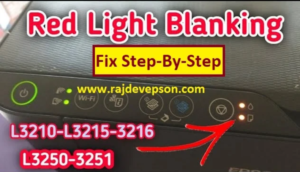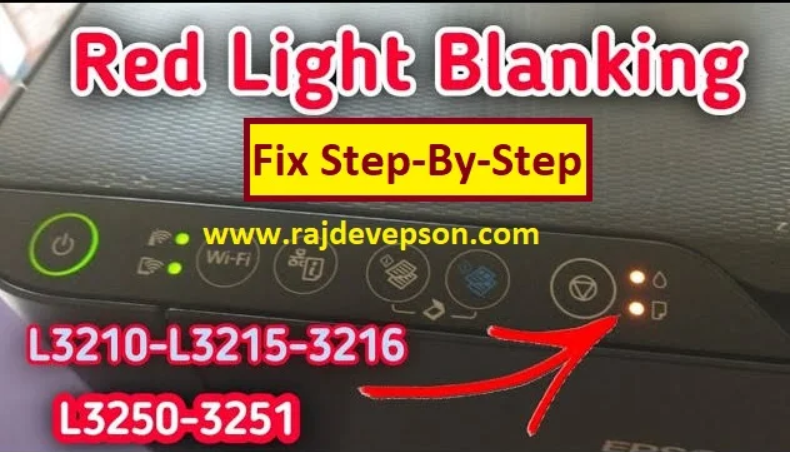
The Epson L3210 “service Required” error is very common faced by epson ink tank printer users when this error appears the printer stop working and shows message like “service required or ink pad is at the end of its service life or printer two orange red light blinking continuously
In this guide you will learn why this error occurs and how to fix it step by step using the epson l3210 resetter tool
Why does Epson Service Required Error occur ?
Epson printers are designed with an internal waste ink counter every time you clean the printer head or print documents a small amount of ink is collected in the waste ink pads inside the printer.
After a certain number of prints , the printer software assumes that the waste ink pads are full and locks the printer automatically to prevent ink leakage . because of this the printer disolay the “Service Required Error” even if the pads are not physically full .
Common reasons for this error
- Ink pad counter reaches its limit
- continuous head cleaning
- Heavy printing usage
- Long term use of the printer
Symtoms of Epson L3210 Service Required Error
you may notice the following problems :
- Printer does not print anything
- Red light blinking continuously
- “Service Required” message on computer screen
- Photo copy and print not happening
- Printer head not movement when you printer off and on time
This issue is software – based so it can be fixed easily using a resetter tool
What is Epson L3210 Resetter tool ?
The Epson L3210 resetter is a very small utility software that :
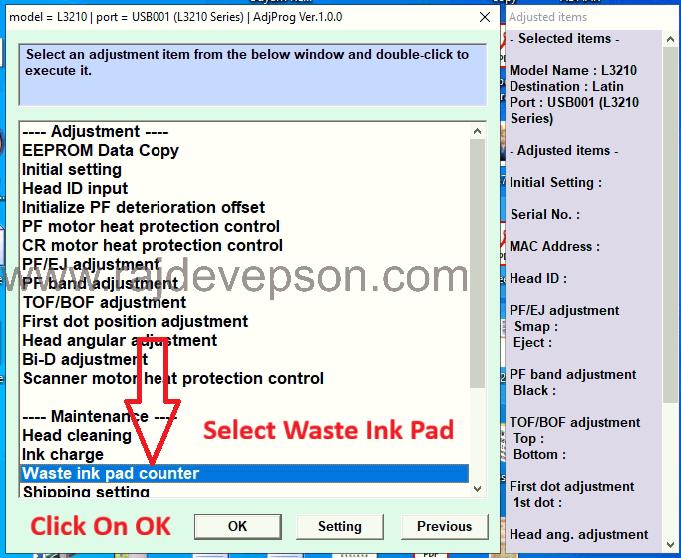
- Reset the waste ink counter
- Clears the service required error
- Unlocks the printer
- Makes the printer usable again
This tool works on windows computer and widely used by technician and home users
Things to do before resetting
before starting the reset process make sure
- Printer is connected to the computer via usb cable
- Printer is turned on
- Antivirus is temporarily disabled (some reset tools are detected falsely)
Download the resetter software and contact me on whatsapp to purchase the password after payment I will provide you the password you can reset your printer by yourself or if you need help I will fully support you to solve and reset your printer problem.
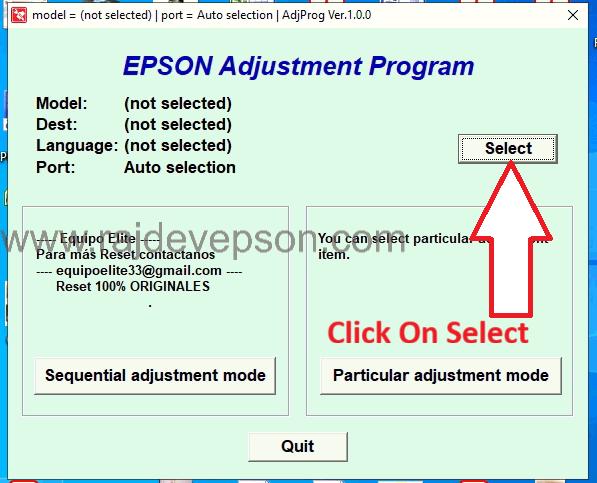
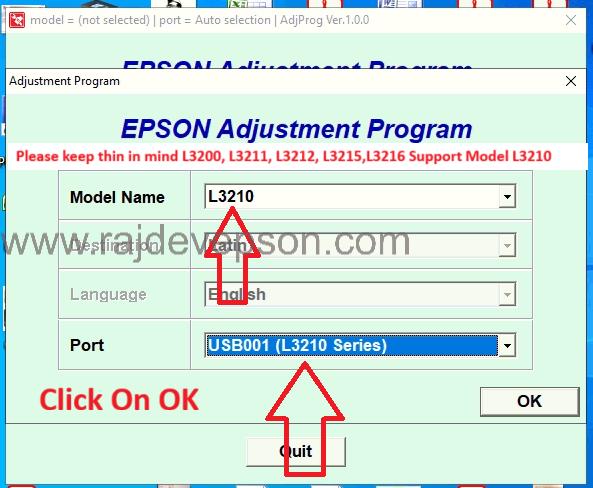
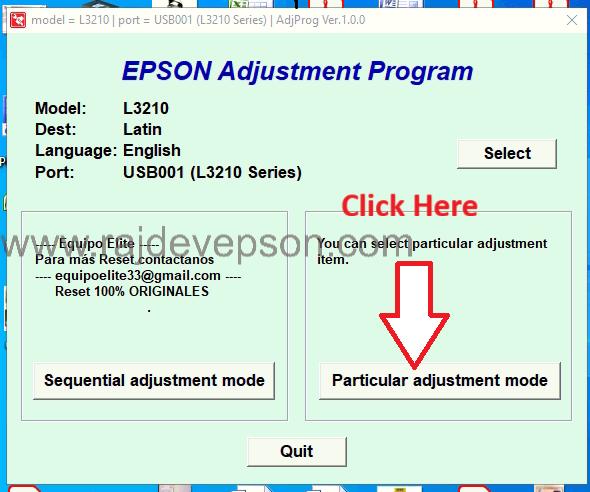
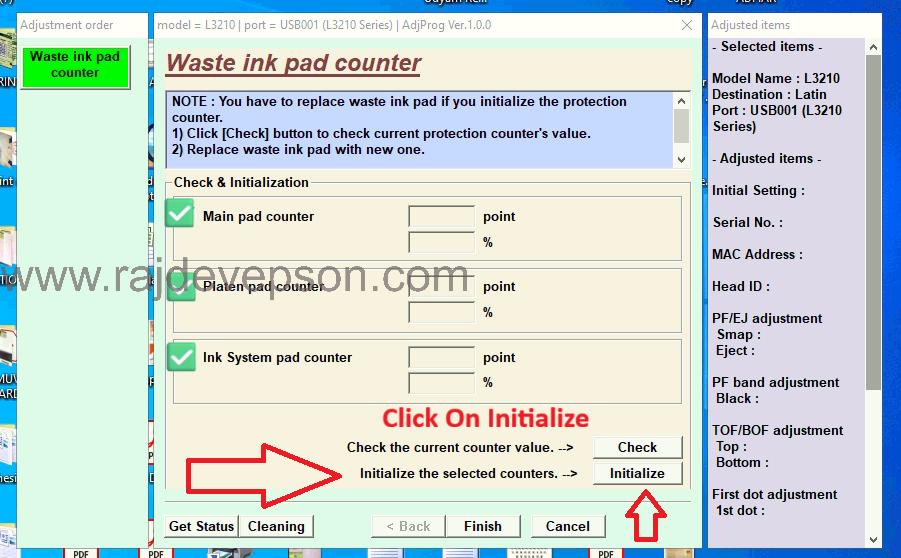
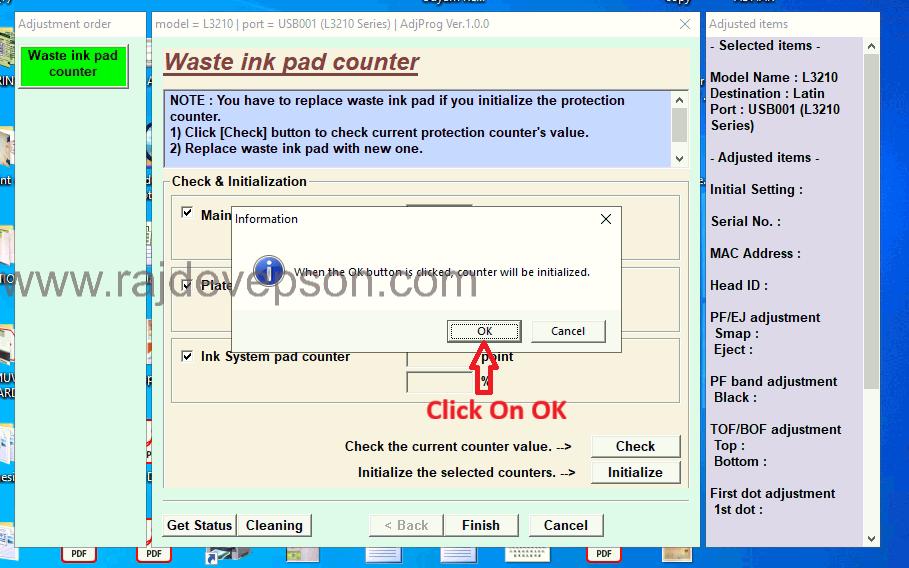
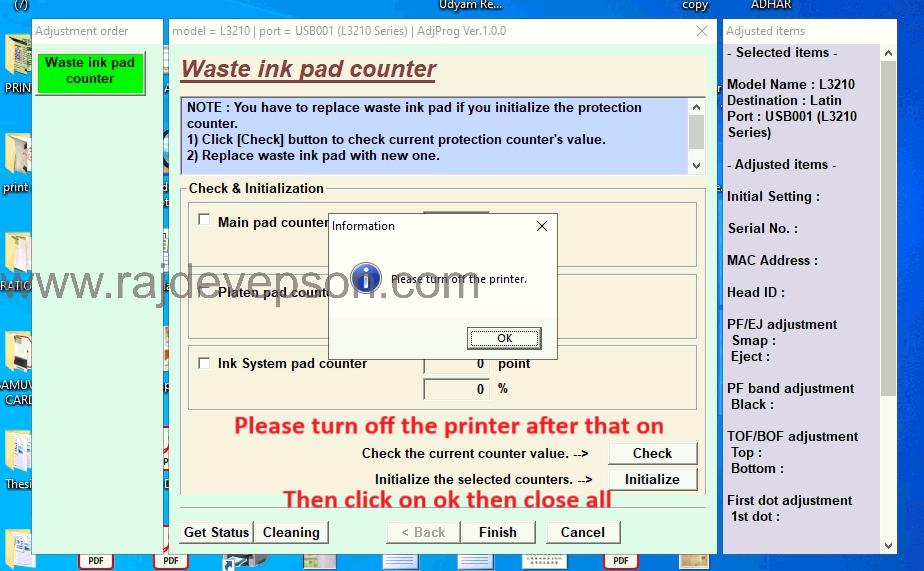
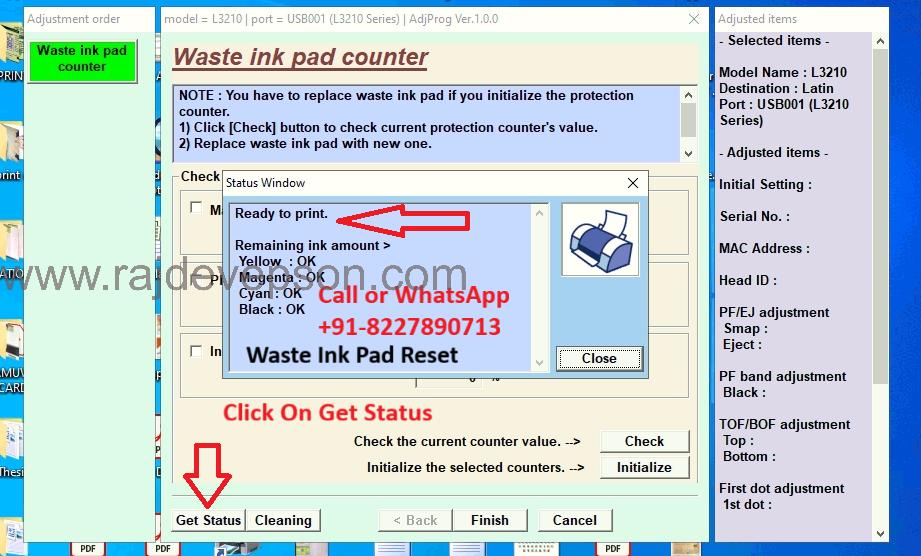
How to Reset Epson L3210 Printer (Step -by-step)
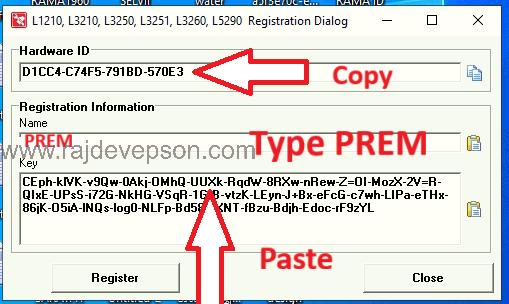
- Registration information name put Prem
- Key dialog box put key into the key
Click on Register
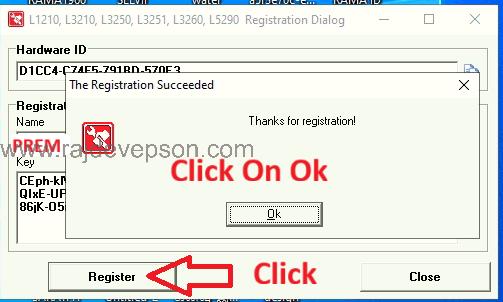
Click On OK
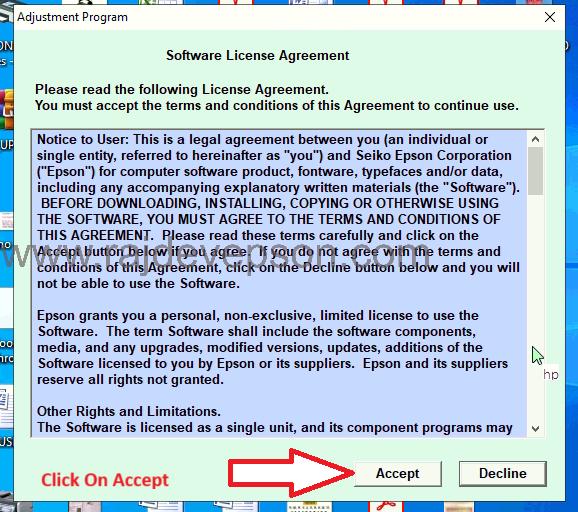
Click On Accept